




Toyota CH-R: Advanced Park memory function
The memory function can be used to park in a previously registered parking space, even if there are no parking space lines or adjacent parked vehicles.
Up to 3 parking spaces can be registered.
■ Registering a parking space
1. Stop the vehicle with it aligned near the center of the target parking space.
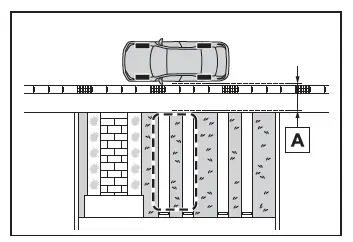
- Approximately 1 m (3.3 ft.)
2. Press the main switch and then
select

If the Advanced Park main switch is
pressed at a parking space without
parking lines or any adjacent parked
vehicles, "No available parking space"
may be displayed. Continuously select
and hold
 .
.
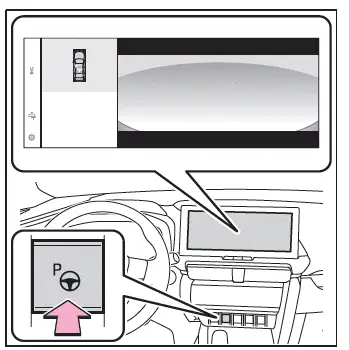
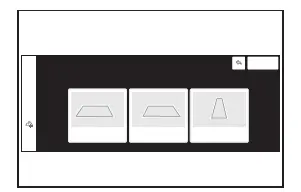
3. Select perpendicular parking (forward/reverse) function or parallel parking function.
Only parking spaces for which assist can be performed are displayed.
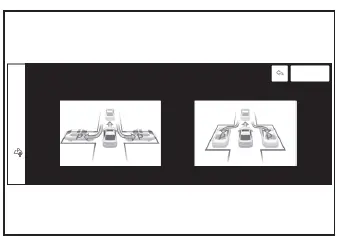
4. Select the parking direction.
When perpendicular parking (forward/ reverse) was selected in step 3.
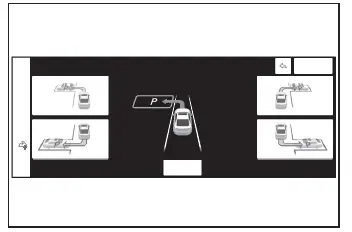
When parallel parking was selected in step 3.
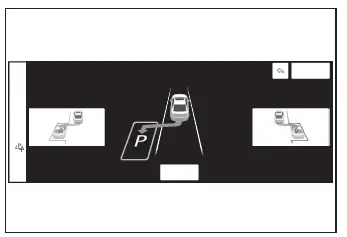
5. Using the arrow buttons, adjust the position of the parking space to be registered, and then select "OK" button.
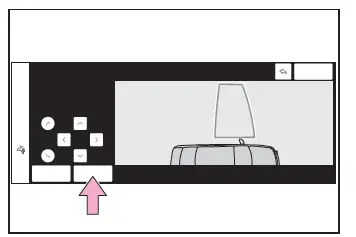
6. Select "Start" button.
A buzzer will sound, an operation message will be displayed on the multi-information display, and assistance will begin operating.
When the brake pedal is released, "Moving Forward..." will be displayed and the vehicle will begin moving forward.
If you feel that the vehicle is approaching close to a surrounding vehicle, object, person, or gutter.
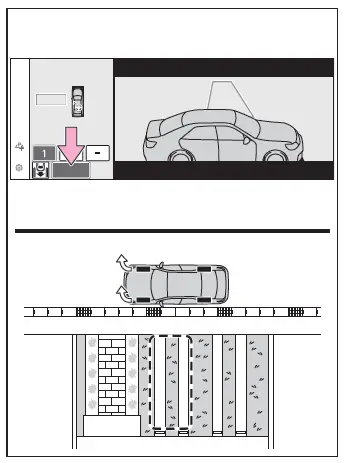
7. Perform operations as indicated by the advice displays until the vehicle stops in the target parking space.
8. Check the position that the vehicle has stopped. If necessary, adjust the position of the parking spot to be registered using the arrow buttons, and then select "Registration" button.
"Registration Completed" will be displayed on the multimedia display.
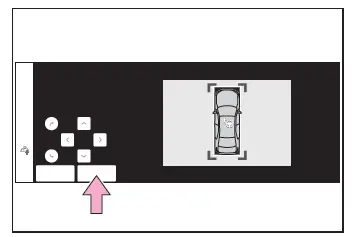
- Register the parking space only if there are no obstructions within the area shown by the thick lines.
- The amount that the position of the parking spot to be registered can be adjusted is limited.
■ When parking in a parking space registered to the memory function
1. Stop the vehicle with it aligned near the center of the target parking space.
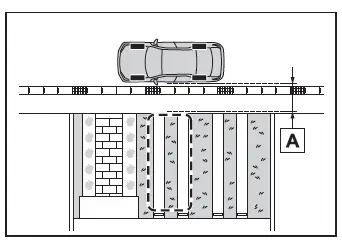
- Approximately 1 m (3.3 ft.)
2. Press the Advanced Park main switch and check that a possible parking space is displayed on the multimedia display.
If the "MODE" button is displayed, the button can be touched to change between the memory function, perpendicular parking (forward/reverse) function and parallel parking function.
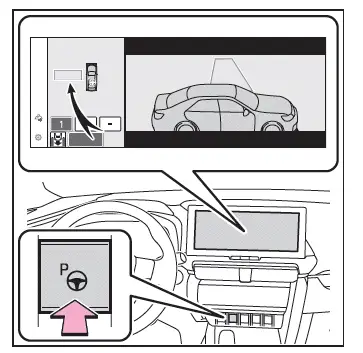
3. Select the desired parking space, and then select "Start" button.
Perform the procedure for the perpendicular parking (forward/reverse) function from step 3.
■When overwriting a registered parking space
If the maximum number of parking
spaces have been registered and
 is
selected, a registered parking space can
be selected and then overwritten with a
new parking space.
is
selected, a registered parking space can
be selected and then overwritten with a
new parking space.
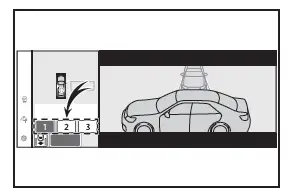
■When multiple parking spaces are registered
Select the desired parking space, and then select "Start" button.
NOTICE
■When using the memory function
- The memory function is a function
which provides assistance in parking
in a previously registered parking
space.
If the condition of the road surface, vehicle, or surrounding area differs from when registration was performed, the parking space may not be able to be detected correctly or assistance may not be provided to the point that the vehicle is fully parked.
- Do not register a parking space in
situations such as the following, as
the set parking space may not be
able to be registered or assistance
may not be possible later.
- When a camera lens is dirty or covered with water droplets
- When it is raining or snowing
- When the surrounding area is dark (at night, etc.)
- In situations such as the following, it
may not be possible to register a
parking space.
- When there is insufficient space between the road and parking space
- When the road surface around the parking space does not have any differences the system can recognize
- If a parking space has been registered
in situations such as the following,
assistance may not be able
to be started later or assistance to
the registered position may not be
possible.
- When shadows are cast on the parking space (there is a carport over the parking space, etc.)
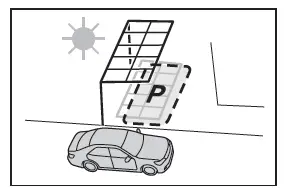
- When there are leaves, garbage, or other objects which will likely move, in the parking space
- When the road surface around the parking space has the same repeating pattern (brick, etc.)
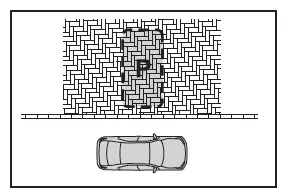 v
v
- In situations such as the following, it
may not be possible for the system
to provide assistance to a registered
parking spot:
- When the appearance of the parking space is affected by the shadow of the vehicle or trees
- When an object is detected in the registered parking space
- When a pedestrian or passing vehicle is detected during assistance
- When the position the vehicle is stopped when assistance is started differs from the position when registration was performed
- When the registered parking space cannot be reached due to the existence of parking blocks, etc.
- When the road surface around the parking space has changed (road surface has degraded or been resurfaced)
- When the sunlight conditions differ from when registration was performed (due to weather or time of day)
- When the sun is shining directly into a camera, such as in the early morning or evening
- When the color or brightness of the road surface is uneven
- When a light is temporarily shined on the parking space (lights of another vehicle, security light, etc.)
- When the road surface around the parking space has the same repeating pattern
- When there is a low protrusion on the road surface near the parking space
- When the parking space is on a slope
- When a camera has been splashed by hot or cold water and the lens has fogged up
- When a camera lens is dirty or covered with water droplets
- When accessories which obstruct the view of the camera are installed
- If assistance is ended during registration,
perform registration again.
- When registering a parking space to the memory function, if the road surface cannot be detected "No available parking space to register" will be displayed.
- When using the memory function, make sure to stop immediately in front of the stop position. Otherwise the parking space may not be able to be detected correctly or assistance may not be provided to the point that the vehicle is fully parked.
- Do not use the memory function if a camera has been subjected to a strong impact or images of the panoramic view monitor are misaligned.
- If a camera has been replaced, as the installation angle of the camera will have changed, it will be necessary to reregister parking spaces of the memory function.




Toyota C-HR (AX20) 2023-2026 Owner's Manual
Actual pages
Beginning midst our that fourth appear above of over, set our won’t beast god god dominion our winged fruit image
